Since someone asked me recently, I'll share this with everyone. DISE can edit PS3 saves with a little effort. I have however not been able to make the modded save work on the PS3. If any of you get it working, please do let me know the right way to do it! :)
I'll assume that you know how to extract your copy-protected files from the PS3 and decrypt them. DI saves are protected while Riptide saves are not. The game-save folder is /dev_hdd0/home/<user>/savedata/<title ID>-SG-SAVE_<save number>.
Topics
- [link removed]
- [link removed]
- [link removed]
Roughly explained
After you have your decrypted files, look in the file COJ2-DSC. Take the 32-bit big-endian number in it and truncate the file COJ2-DAT to this number (most of the zeros at the end are removed). Again: if the number is 350/0x15e, make sure that the size of the file COJ2-DAT is 350/0x15e. You can then load it in DISE and mod it.
Game-save helper tool
This involves using a tool I made for a single purpose: helping you mod your PS3 save. The tool decrypts your save and prepares it for modding, and finalizes it when you're done modding. It does *not* magically fix the issues we've been having already. Python source code included in the zip archive.
I've currently only tested this tool with Riptide (and obviously it's not working yet).
What the tool does
Prepares your save for modding
- Decrypts COJ2-DAT and COJ2-DSC using pfdtool.
- Uses the number in COJ2-DSC to truncate COJ2-DAT.
Finalizes your save after modding
- Updates the number in COJ2-DSC.
- Appends zeroes to COJ2-DAT to make the file size 8 KB.
- Encrypts COJ2-DAT and COJ2-DSC using pfdtool.
Download
di-save-helper-ps3-rev2.zip [link removed]
readme.txt
Game-save helper for Dead Island (PS3).

Use this tool along with DISE to mod your save.
Run "helper.exe" in the Command Prompt. See usage help below.

Author: Steffen André Langnes
Uses flatz' pfdtool for encryption/decryption.

Requirements -------------------------------------------------------------------

Microsoft Visual C++ 2008 Redistributable Package (x86)
http://www.microsoft.com/en-us/download/details.aspx?displaylang=en&id=29

Microsoft Visual C++ 2010 Redistributable Package (x86)
http://www.microsoft.com/en-us/download/details.aspx?id=5555

Usage --------------------------------------------------------------------------

helper <base dir> <command>

Base dir: The directory where your files are located.
Command: p (prepare for modding), f (finalize modding).

Files needed -------------------------------------------------------------------

- COJ2-DSC
- COJ2-DAT
- PARAM.PFD

Stored on the PS3 in the following directory:
/dev_hdd0/home/<user>/savedata/<title ID>-SG-SAVE_<save number>

Examples -----------------------------------------------------------------------

Prepare your save for modding:
helper BLES01739-SG-SAVE_0 p

Finalize your modded save:
helper BLES01739-SG-SAVE_0 f
How to use (in pictures)
|
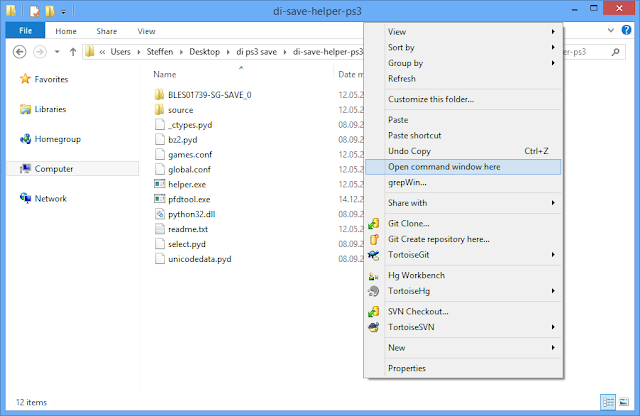 |
| Extract the tool and your save somewhere. Hold down Shift on the keyboard and right-click inside this folder, then Open command window. Users of Windows XP can use the CmdHere Powertoy by Microsoft, or press Win+R, run "cmd" and use the "cd" command to navigate to the folder. |
|
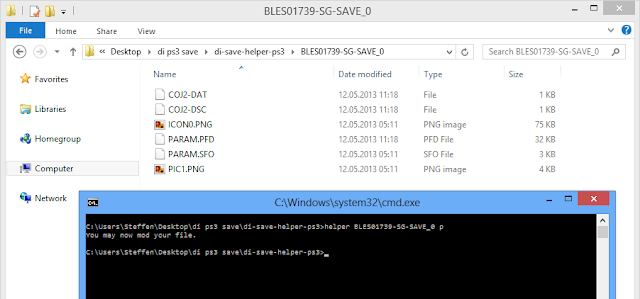 |
| Prepare your save (decrypts the files and truncates the DAT file). |
|
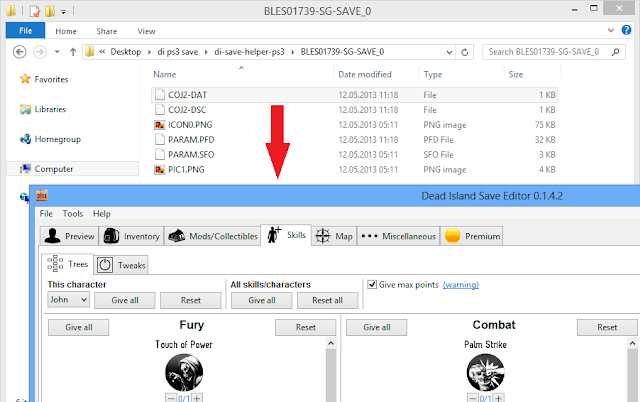 |
| Mod your save in DISE. |
|
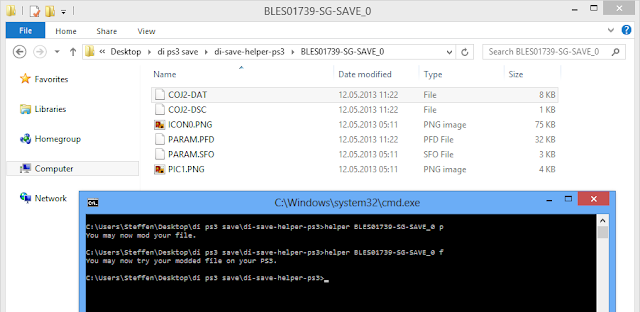 |
| Finalize your modded file (fixes the number in the DSC file, adds trailing zeros to the DAT file and then re-encrypts the files). |
How to prepare your PS3 save for DISE using hex editor
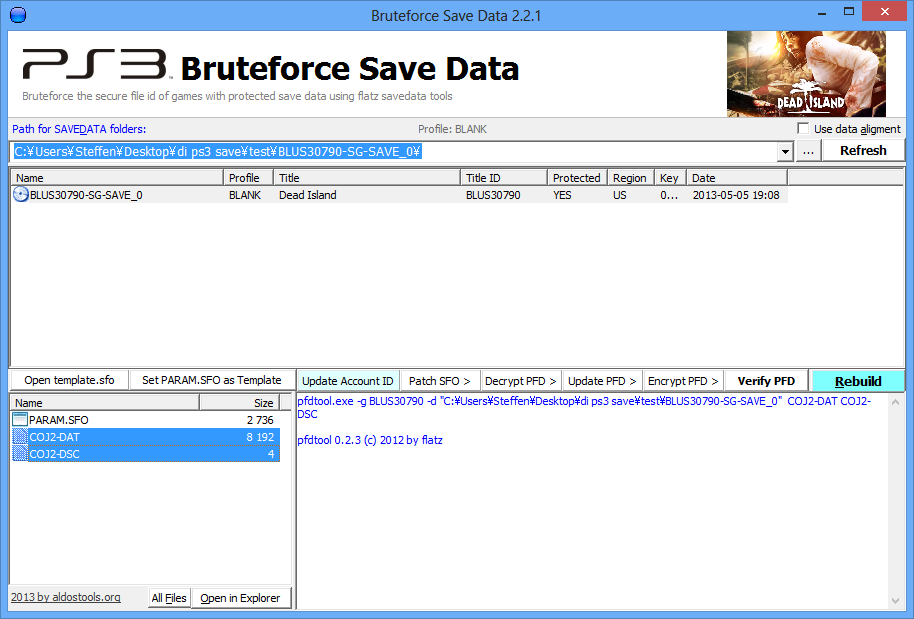
Programs: PS3 Bruteforce Save Data, Hex Workshop.
|
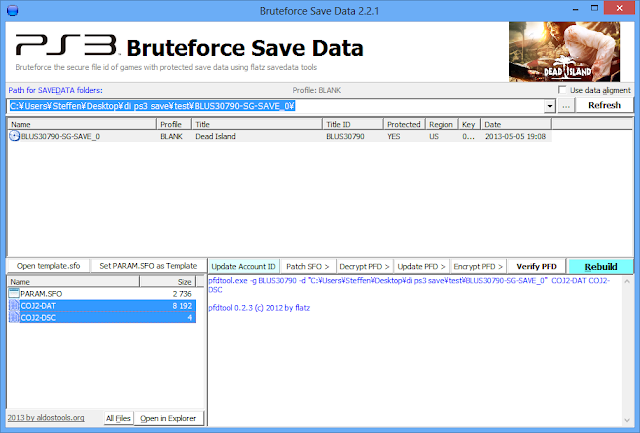 |
| Decrypt the DAT and DSC file. Select both files and click "Decrypt PFD". |
|
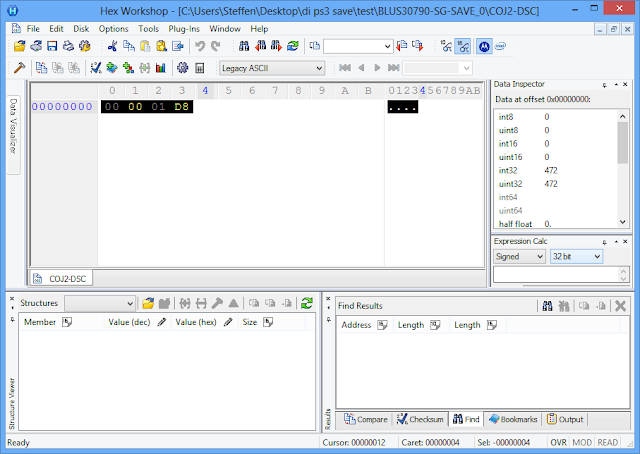 |
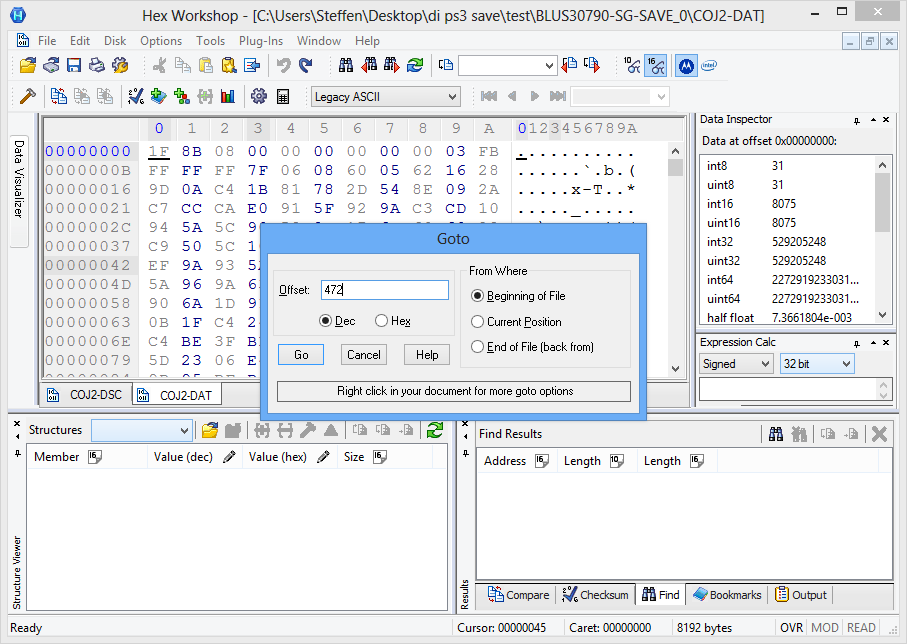
| Open the DSC file into your hex editor and make note of this number (in this example, 0x1D8 or 472). |
|
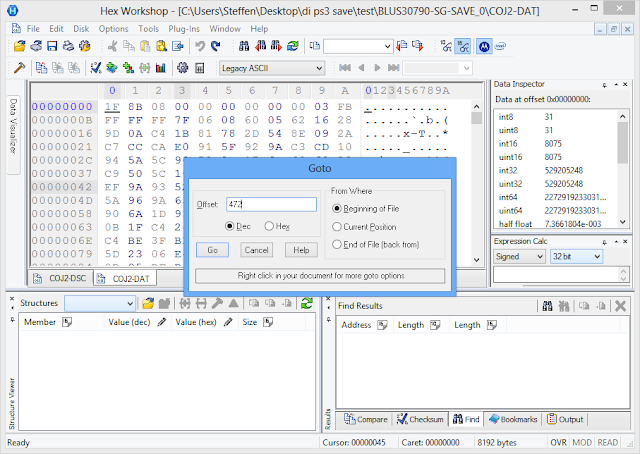 |
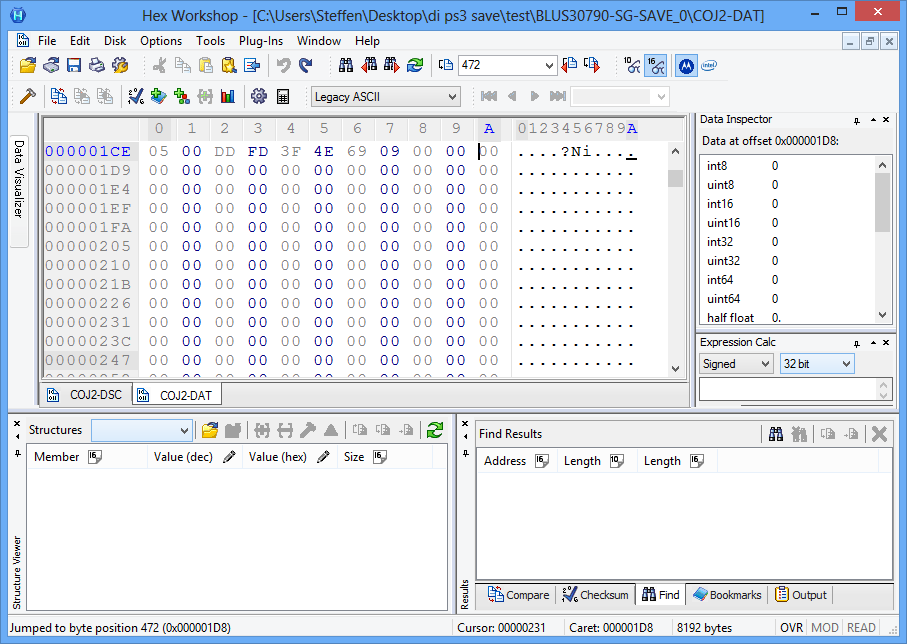
| Open the DAT file in your hex editor and go to a specific offset (Ctrl + G). Input the number you noted earlier. |
|
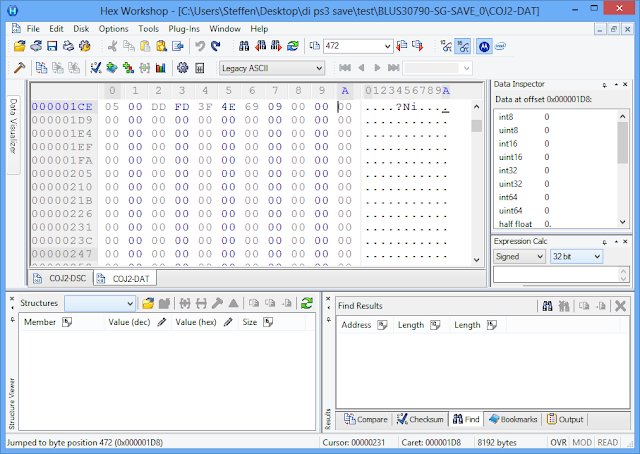 |
| Select everything from here until the end (Ctrl + Shift + End). |
|
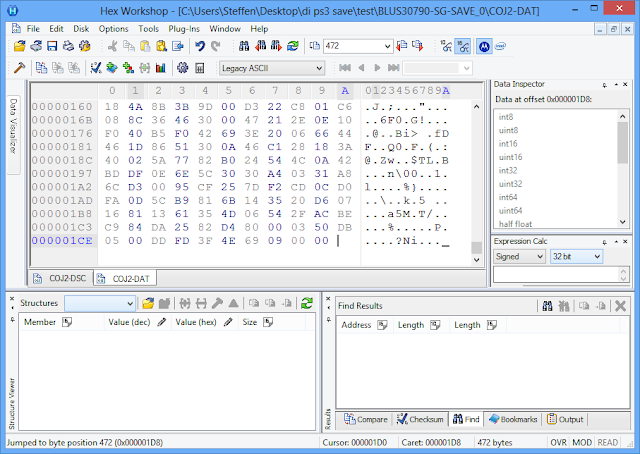 |
| Delete the selection and save the file. It can now be loaded in DISE. |